FreeSiteHub / learning · education · life
Musicca Review
Recommended for beginners, self-learners, and music teachers who need short, repeatable exercises for note reading, rhythm, intervals, chords, scales, and simple online practice tools.
What problem does it solve?
It turns abstract music-theory topics into small browser exercises and utility tools, especially for reading notes, matching piano keys to note names, practicing rhythm, and reviewing basic musical structures.
Best for
Piano, guitar, vocal, and general music beginners; adults rebuilding note-reading skills; teachers assigning basic drills; and users who occasionally need a free metronome, tuner, note-name reference, or chord player.
Free limits
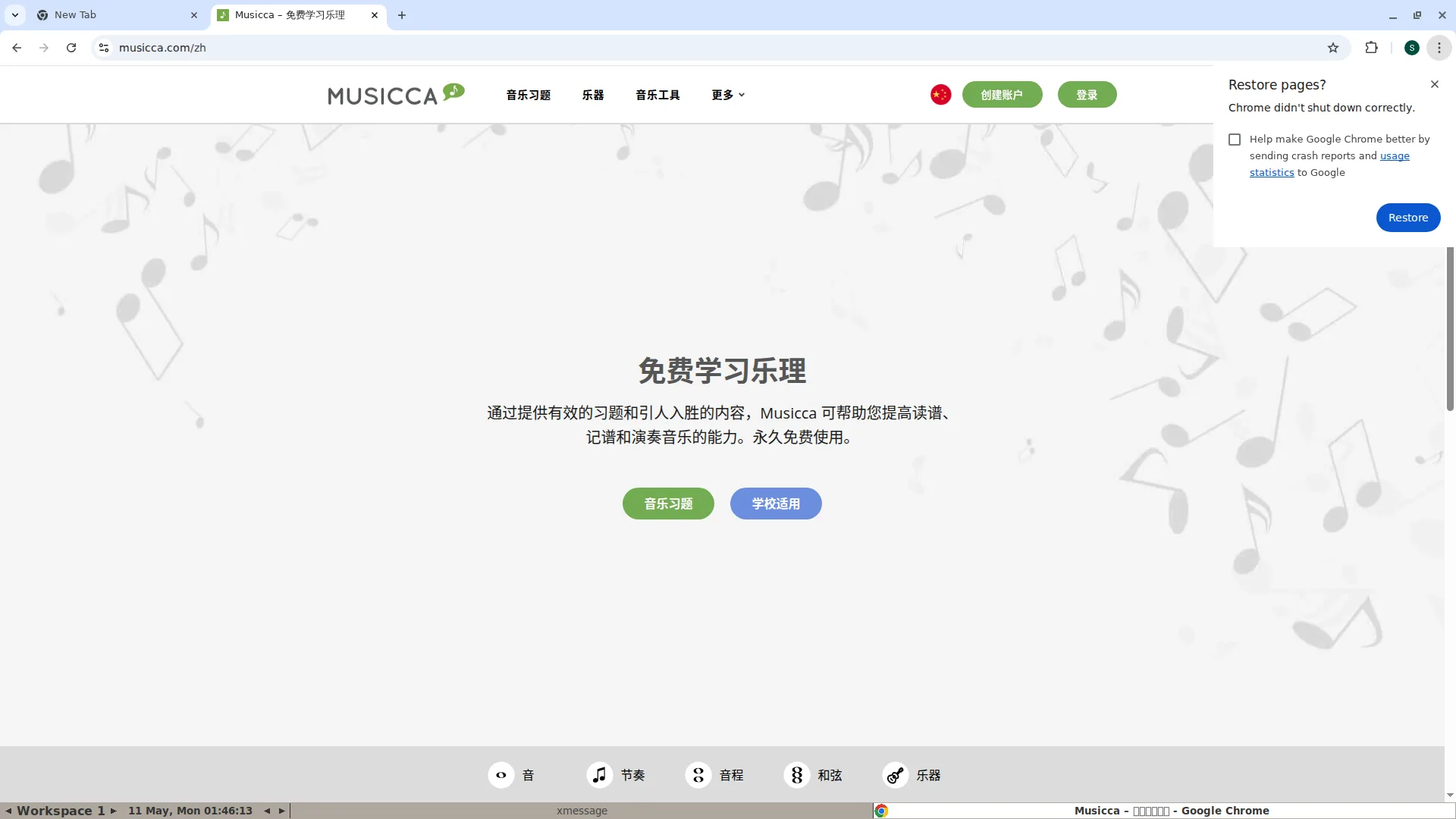
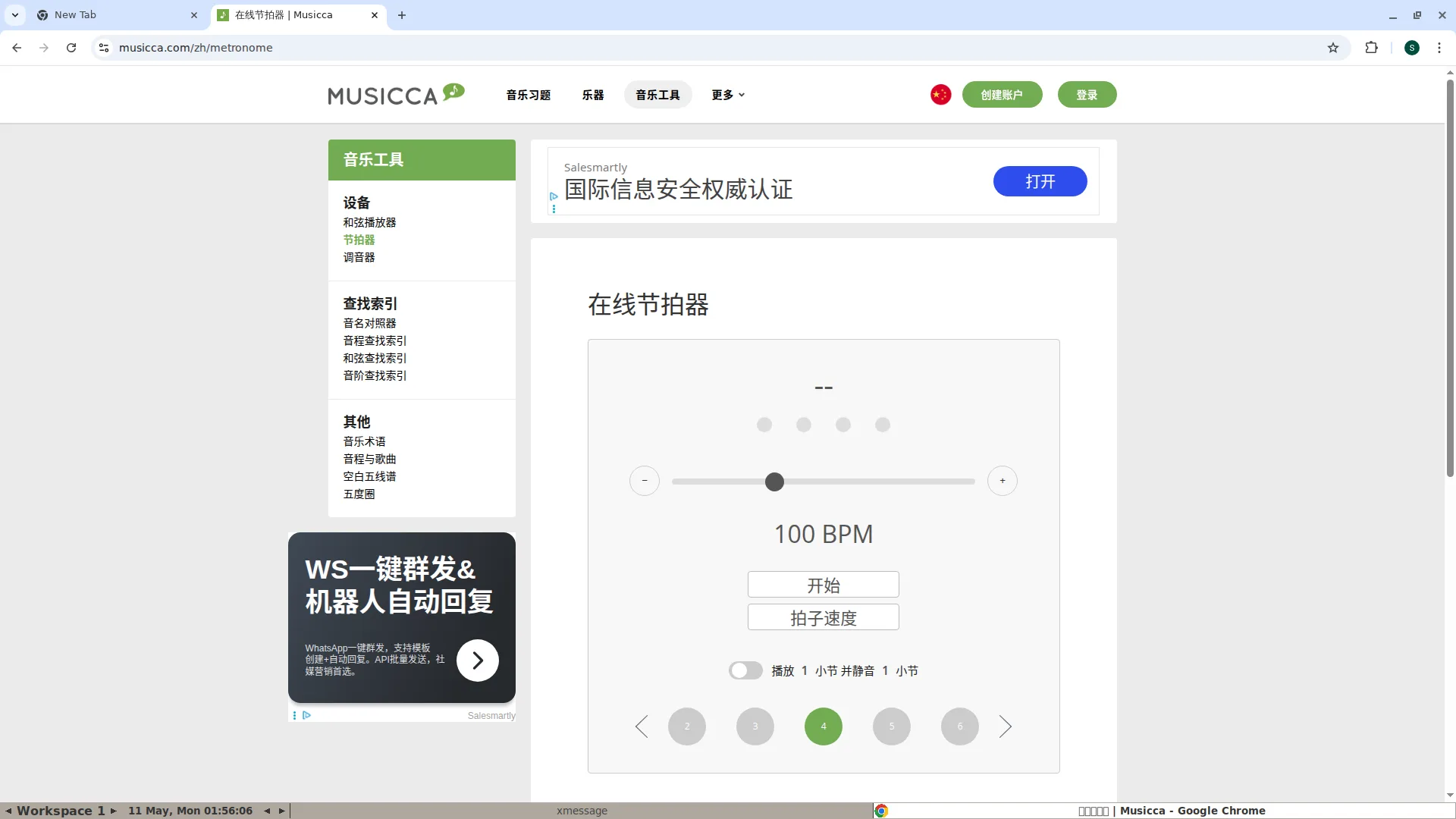
As of the May 11, 2026 hands-on review, Musicca’s Chinese homepage states that it is free to use forever. Without logging in, I could open the Chinese homepage, enter Music Exercises, choose Notes, open Piano / Basic Notes 1, press Start, and answer several note-identification questions. I could also open Music Tools and reach the online metronome page, where the 100 BPM display, tempo slider, minus/plus controls, Start button, tap-tempo button, play/silent bar toggle, and 2-6 beat choices were visible. The site shows ads, and the top-right account buttons remain visible, so the safest wording is that core exercises and tools can be tried for free, while long-term progress, school/classroom features, syncing, or personalized records may require an account. During this test the metronome Start click did not produce a clearly captured playing state in the screenshot, so this review does not overclaim complete audio-state verification.
Hands-on screenshots
How to use
- Open the Musicca Chinese homepage and use the top navigation: Music Exercises, Instruments, Music Tools, and More. For basic theory practice, start with the green Music Exercises button.
- On the Music Exercises page, browse the left-side categories: Notes, Rhythm, Intervals, Chords, Scales, Key Signatures, Instruments, and Periods. In this review, I selected Notes and then Piano / Basic Notes 1.
- On the Basic Notes 1 lesson page, press Start on the first card. The quiz asks “What note is this?” and shows a piano keyboard with a grey dot marking the target key.
- Choose the answer from the C, D, E, F, G, A, and B buttons below the keyboard. The exercise advances through short questions, and the top progress bar shows how far you have moved through the drill.
- Use the round X button at the top-left of the quiz to exit back to the exercise page. The question-mark icon opens help, and the speaker icon is related to sound playback.
- For utility tools, open Music Tools and choose Metronome, Tuner, Chord Player, Note Name Converter, or interval/chord/scale finders. The metronome page exposes BPM, tempo controls, tap tempo, bar-silence practice, and beat selection.
Yong’s Take
UAT hands-on notes
Hands-on testing started from the Chinese homepage. I first confirmed the real navigation labels: Music Exercises, Instruments, Music Tools, More, a language flag, Create Account, and Log In. The homepage CTA led to the exercises list, which is organized into practical categories rather than vague article links: Notes, Rhythm, Intervals, Chords, Scales, Key Signatures, Instruments, and Periods. I opened Notes, then the Piano / Basic Notes 1 path. The page showed small drill cards such as identifying C/Do, D/Re, and E/Mi, then the Start button opened a live quiz. The quiz displayed a piano keyboard, a grey dot on the target key, C-D-E answer buttons, a progress bar, a close button, help, and a speaker icon. I answered multiple questions, including C, D, E, and C, without hitting a signup wall. After exiting, I opened Music Tools and then Metronome. The metronome page displayed 100 BPM, a slider, minus/plus controls, Start, tap tempo, a play/silent bar switch, and beat buttons from 2 to 6 with 4 selected. The workflow is clear and useful for short practice sessions; the main friction is advertising, account uncertainty for saved progress, and audio playback state depending on the browser environment.
Pros
- The exercise taxonomy is specific: notes, rhythm, intervals, chords, scales, key signatures, instruments, and periods are separated into understandable learning paths.
- The Piano / Basic Notes 1 quiz connects a visible piano-key marker to note-name answers, which helps beginners map theory to an actual keyboard position.
- Music tools such as metronome, tuner, chord player, and note-name references make the site useful beyond reading lessons or static articles.
- Core practice can be tried before signup; the note quiz and metronome page opened during this review without an immediate registration wall.
Cons / gotchas
- Ads are visible, so classroom projection or child use may need supervision and expectation-setting.
- Create Account and Log In remain prominent; saved progress, school use, classroom management, and sync features may depend on account flows.
- The metronome Start action did not show a clearly captured playing state in this screenshot run, so users should verify audio on their own device.
- The site is beginner-friendly, but very new learners may still need teacher or parent guidance for note naming systems, ear training, and practice order.
Alternatives / similar options
This section shows same-task alternatives. Items already reviewed link to FreeSiteHub pages; unreviewed items stay as collection candidates.
- musictheory.net
- Teoria
- ToneSavvy
- RhythmDictation.com
musictheory.net
A classic free music-theory lesson and exercise site with simple pages for beginners.
Teoria
Music theory tutorials, ear training, and exercises; a useful English-language complement to Musicca.
ToneSavvy
Music theory and ear-training drills for teachers and students; free limits need review.
RhythmDictation.com
A rhythm dictation and rhythm-training resource that complements Musicca’s rhythm practice area.
Creator channel × resource hub
Watch Yong's full review video
This Musicca review page has a reserved video slot. Once Yong's full review is published, the Bilibili/YouTube video will be embedded here, with short-video platform cards linked when needed.
Bookmark FreeSiteHub for the upcoming reviewSources and disclaimer
Sources: official Musicca pages plus FreeSiteHub independent hands-on review notes. Reviewed on 2026-05-11.
Third-party features, pricing, free limits, page content, availability, and policies may change. FreeSiteHub only provides independent review notes and outbound recommendations; we do not own, host, or guarantee third-party content. Check the original site before use.